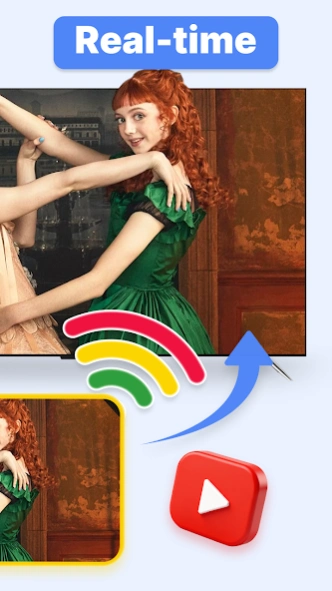
About TV Cast: Chromecast Smart View
Want to chromecast or screencast your phone's movie/game/video/picture on your big screen TV in smart view via DLNA? Screen share them on a large screen to make them look more amazing? EasyCast has all functions that...
Want to chromecast or screencast your phone's movie/game/video/picture on your big screen TV in smart view via DLNA? Screen share them on a large screen to make them look more amazing?
EasyCast has all functions that fulfills your wishes. TV Cast video, photo, game, music and movie to your TV in wireless display!
Anycast Feature:
• Automatically search nearby TVs to cast screen via DLNA
• Scans local & SD cards files: music, audio, video, photo, PPT/slides
•Chromecast/Miracast/Screencast/Anycast/All share Cast/TV Cast/Airplay for all media
• Low latency with wireless display
• Multiple video playback modes
• TV Remote control function
How to screen share my phone to TV in smart view?
1. Turn off VPN and make sure your phone and TV are connected to the same Wi-Fi network
2. Launch the app and it will search for available devices nearby, then select the device to cast screen
4. Select local file to tv cast in samsung smart view
5. Start to enjoy the big screen viewing experience with stayconnect devices.
Built-in DLNA device/player/smart TV supported:
-Microsoft Xbox One
-Amazon Fire TV & Fire Stick
-Miracast for android to tv
: Roku, smart TV Samsung, Vizio,
screen share LG smart tv, Hisense, Sony, Panasonic, Sharp, Toshiba, Philips, Insignia,Videocon Dth, Philco, Aoc, Jvc, Haier, Westinghouse, Daewoo, Sansui, Sanyo, Akai, Polaroid, Mi TV, Huawei TV etc.
-Other DLNA TV equipment
Disclaimer:
*Make sure your tv is DLNA certified before using
*This app is not an official TV brand product and is not affiliated with any of the above brands.
*Please know the differences of the screen mirroring, samsung dex and miracast. TV Casting does not display exactly what's on your screen the way screen mirroring does. You can close the app and do other phone actions without interrupting the casting.
Previous Versions
Here you can find the changelog of TV Cast: Chromecast Smart View since it was posted on our website on 2020-10-28 17:46:37.
The latest version is 5.9.3 and it was updated on 2026-10-12 15:38:06. See below the changes in each version.
TV Cast: Chromecast Smart View version 5.9.2
Updated At: 2026-06-23
Changes: 1.Stability improvements and bug fixes
TV Cast: Chromecast Smart View version 5.9.3
Updated At: 2026-06-23
Changes: 1.Improved app performance and stability.
TV Cast: Chromecast Smart View version 5.9.1
Updated At: 2026-05-22
Changes: 📺 Expanded Casting Options: Easily cast movies, games, photos, and more to your TV.
⚡ Quick Device Search: Auto-detects nearby TVs for fast connections.
🎮 Low-Latency Streaming: Smooth display with multiple playback modes.
📲 TV Remote Control: Enhanced control directly from your phone.
Upgrade now to enjoy seamless screen sharing!
TV Cast: Chromecast Smart View version 4.6.4
Updated At: 2024-11-07
Changes: ⭐Support all smart TV
⭐Stable and fast connected
⭐Cast your phone in one click
TV Cast: Chromecast Smart View version 2.8
Updated At: 2023-08-29
TV Cast: Chromecast Smart View version 1.3.8
Updated At: 2021-07-07
Changes: 1. Add Screen Mirror Funtion
2. Fix bugs
3. Improve user experience
TV Cast: Chromecast Smart View version 1.0.4
Updated At: 2020-12-17
Changes: 1. Fixed bugs
2. Improve user experience
Disclaimer
Official Google Play Link
We do not host TV Cast: Chromecast Smart View on our servers. We did not scan it for viruses, adware, spyware or other type of malware. This app is hosted by Google and passed their terms and conditions to be listed there. We recommend caution when installing it.
The Google Play link for TV Cast: Chromecast Smart View is provided to you by apps112.com without any warranties, representations or guarantees of any kind, so access it at your own risk.
If you have questions regarding this particular app contact the publisher directly. For questions about the functionalities of apps112.com contact us.